Dashboard — normal readings and notification settings
Tags: #dashboard · #normal-behavior
Temperature gauge normal position: the normal operating reading on the dashboard temperature gauge is approximately half-scale (the middle mark). This gauge shows coolant temperature, not engine oil or transmission temperature 1234.
Speed warning notification can be disabled: the dashboard's speed warning "cup" icon notification can be disabled through the instrument cluster's settings menu. Pressing OK only acknowledges the current warning — it does not disable the feature, so the icon reappears until the engine is shut off. To permanently disable it, go into the dashboard's settings configuration 5678.
Service reminder reset procedure: press the Info button to display the maintenance-status screen, navigate to Settings ("установки") via the OK menu button on the steering wheel, open "Vehicle Technical Status" ("Техническое состояние автомобиля"), press OK, navigate to "Remaining mileage" ("остаток пробега"), then press and hold the Info button for several seconds to reset the reminder. This clears both the L1 and L2 fuel- consumption trip counters simultaneously if they weren't managed separately beforehand 91011121314.
Service counter reset — earlier/alternate button sequence: an earlier report describes a different button sequence for the same service-reminder reset (dashboard shows a countdown like "300km"): press INFO briefly to switch the lock indicator to OFF; turn the ignition key ON; hold the OK button for at least 10 seconds while the lock symbol is in the OFF position; then release. After service, the reminder symbol disappears and does not reappear until the next scheduled interval. Owner's manual page 2-2 (Instrument panel) diagrams the INFO button location on the lower-left of the steering wheel. This sequence may reflect an earlier firmware/trim variant — if it doesn't work, try the fuller Settings-menu procedure documented above 151617.
Restyle models — no engine temperature gauge on the main cluster: restyle (2020+) models do not show engine coolant temperature on the main instrument cluster at all. Temperature can only be viewed via: (1) an ELM327 OBD adapter plus a smartphone app (requires purchasing the adapter); or (2) an aftermarket Android multimedia head unit. Manual gauge reference points some owners use for rough estimation (on other trims that do have an analog gauge): first tick ~70°C, second tick ~75°C, middle position ~90°C 181920212223242526.
Dashboard temperature display — 5°C increment scale: the dashboard temperature gauge on instrument clusters that do show it displays temperature in 5-degree Celsius increments (typical display marks: 80°C, 85°C, 90°C, 95°C, 100°C) 2728.
Eco-mode indicator — what it actually measures: the "Eco" indicator on the dashboard lights up when driving efficiently at steady speeds with moderate acceleration. It does not represent fuel consumption in liters/100km directly — it's a relative efficiency rating. The indicator engages/disengages automatically based on driving dynamics, with no user configuration needed 29303132.
Dashboard language — English-only on some early restyle units: some early restyle (facelift) models ship from the factory with an English-only onboard-computer/dashboard display, rather than Russian. This can be changed to Russian via the language option in the onboard-computer settings menu 3334.
Media
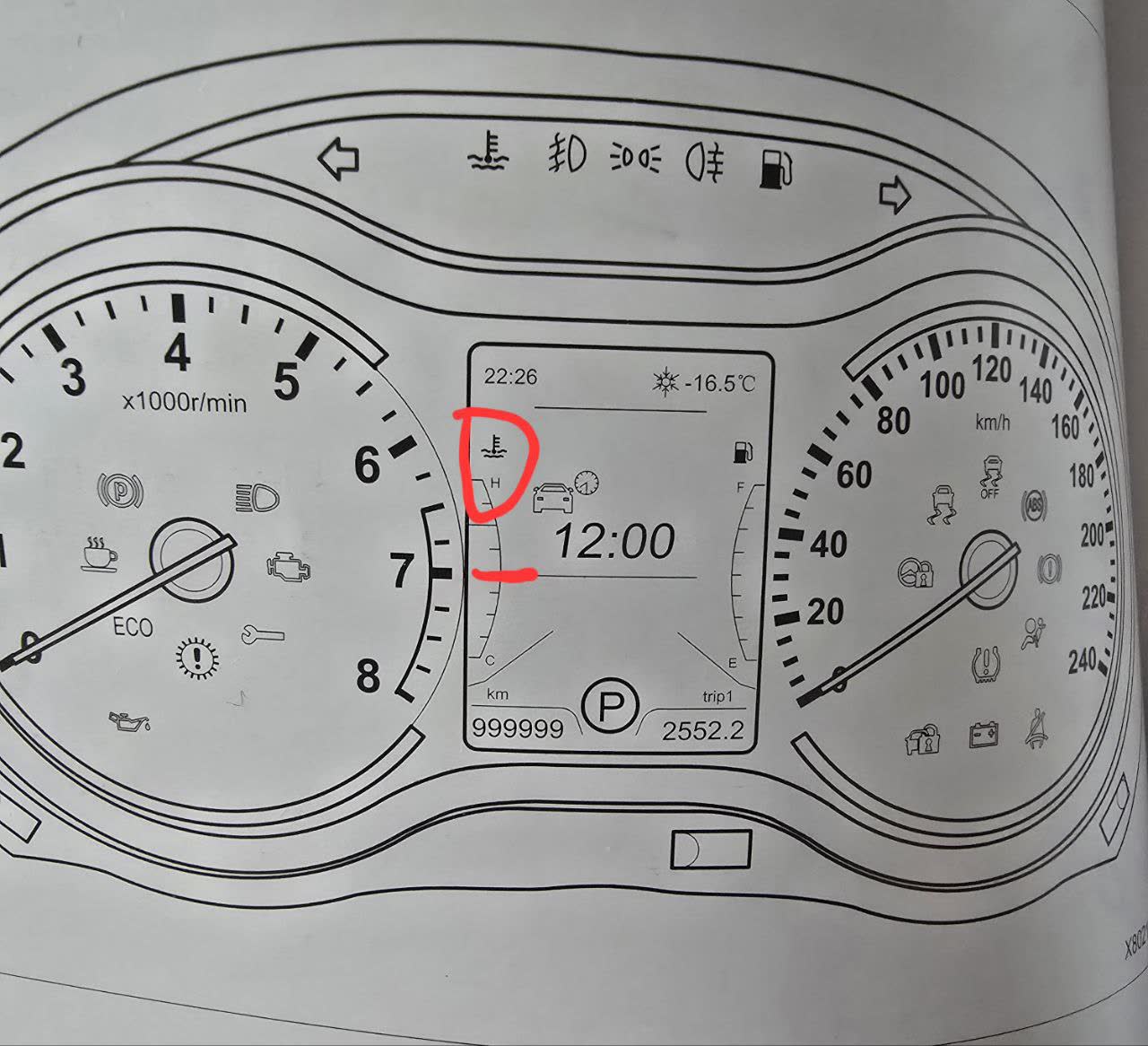
Dashboard showing temperature gauge at mid-scale and speed warning cup icon
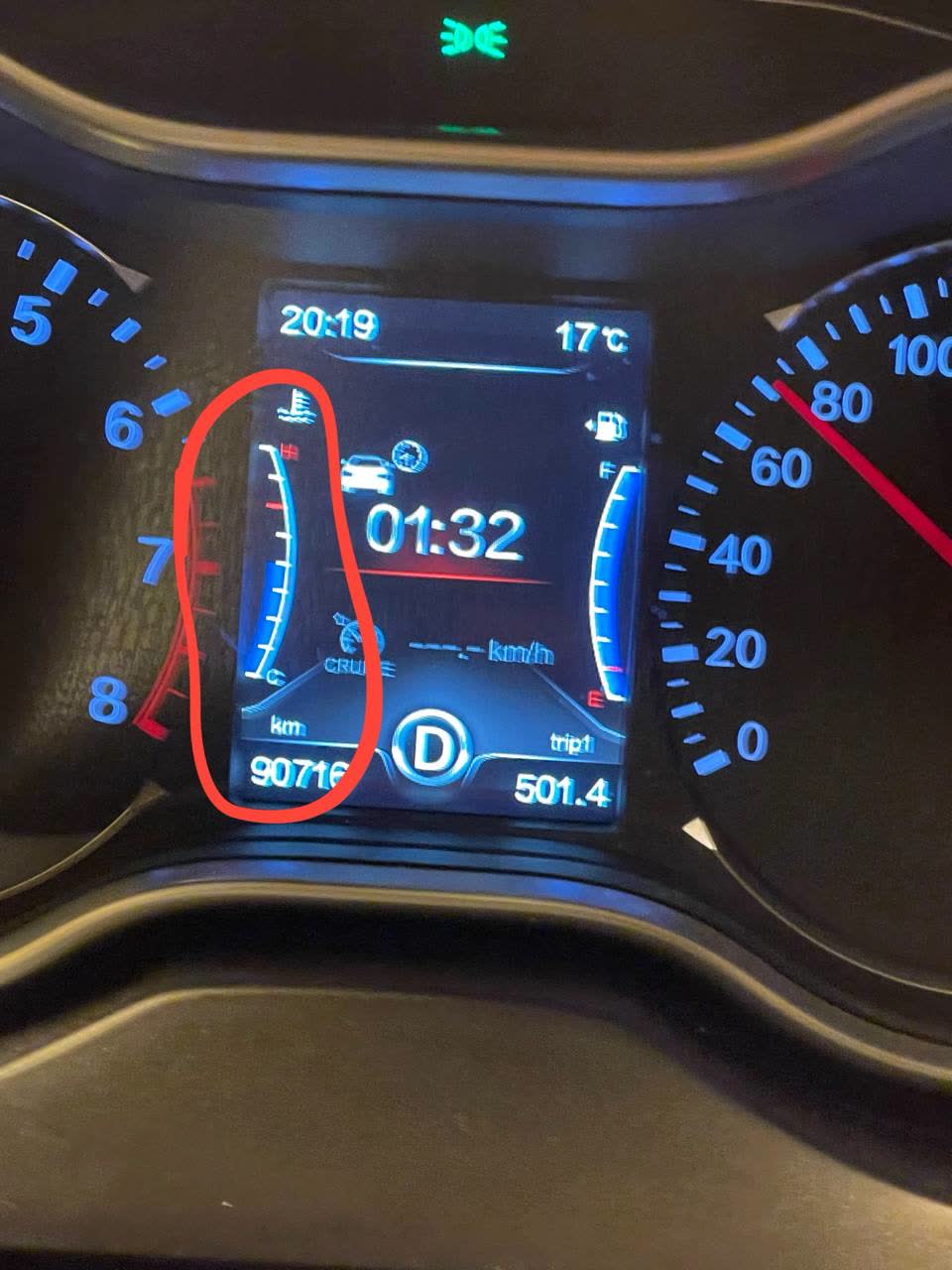
Dashboard temperature gauge showing 5-degree increment display scale
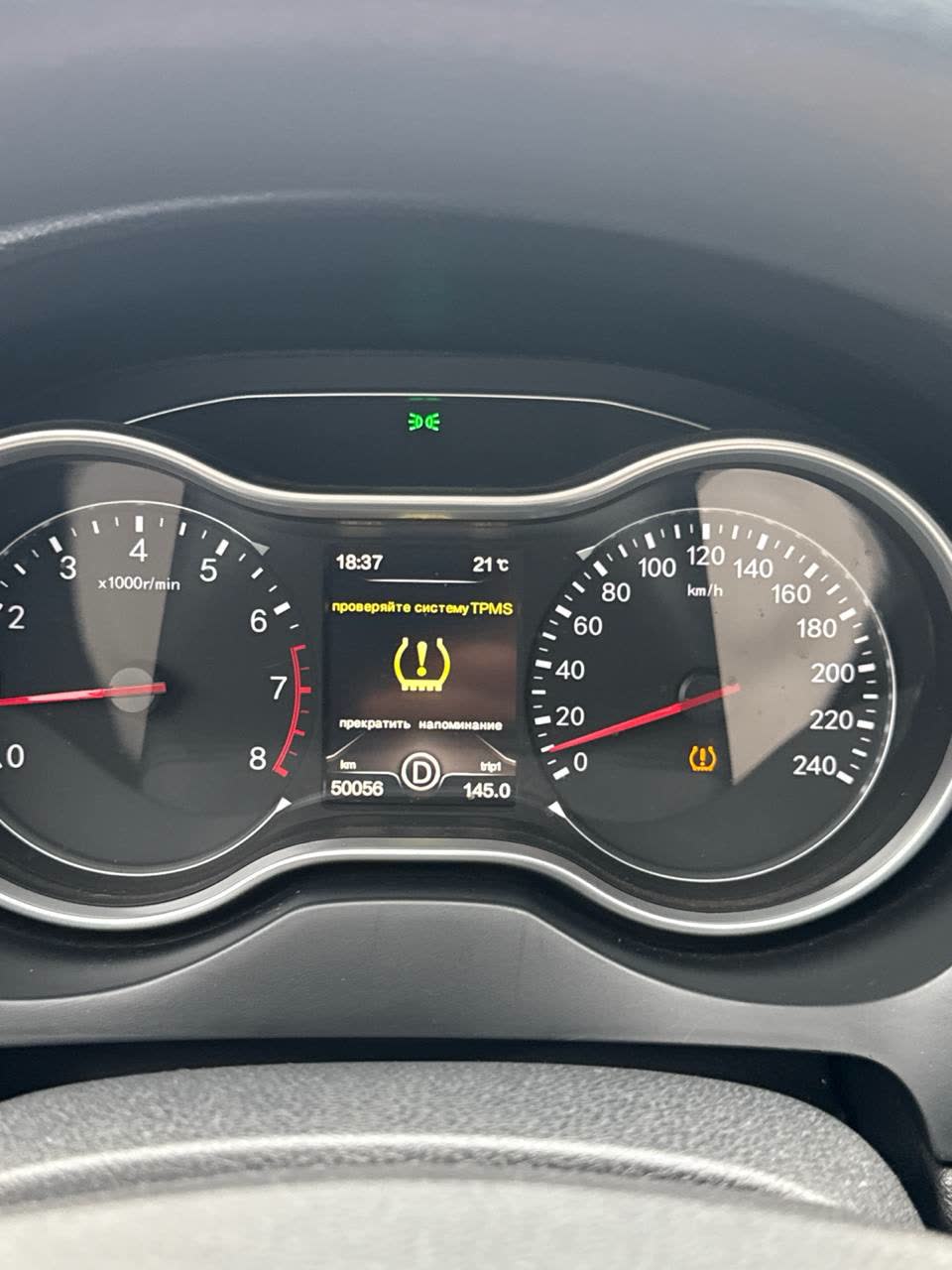
Dashboard showing the eco indicator active during efficient driving
36-second video tutorial showing the exact menu navigation sequence with button presses and screen states for resetting the service reminder
📝 Transcript
> Нажимаешь инфо, загорается вот такая клейнь, заходишь в установки, заходишь вот в установки, нажимаешь OK, технический состояние автомобиля, нажимаешь OK на руле, остаток пробега, OK и нажимаешь долго на инфо и удерживаешь ее, и у тебя сброчется.Video transcript showing dashboard menu navigation: INFO button → Settings → Settings → Technical condition → OK → Trip mileage → OK → long press INFO to reset
📝 Transcript
> Нажимаешь инфо, загорается вот такая клейнь, заходишь в установки, заходишь вот в установки, нажимаешь OK, технический состояние автомобиля, нажимаешь OK на руле, остаток пробега, OK и нажимаешь долго на инфо и удерживаешь ее, и у тебя сброчется.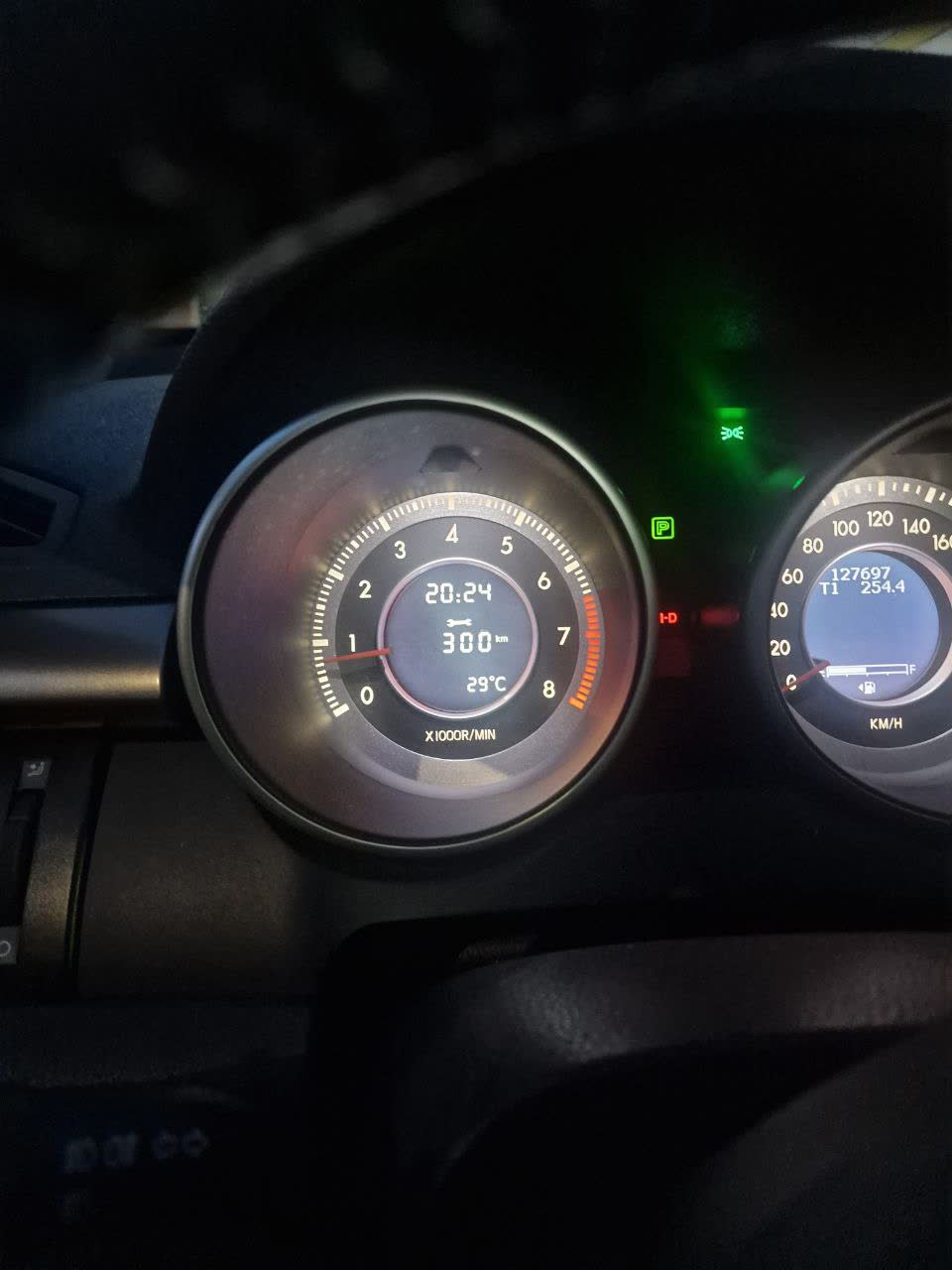
Dashboard photo showing service counter reading "300km" in the center display with temperature 29°C
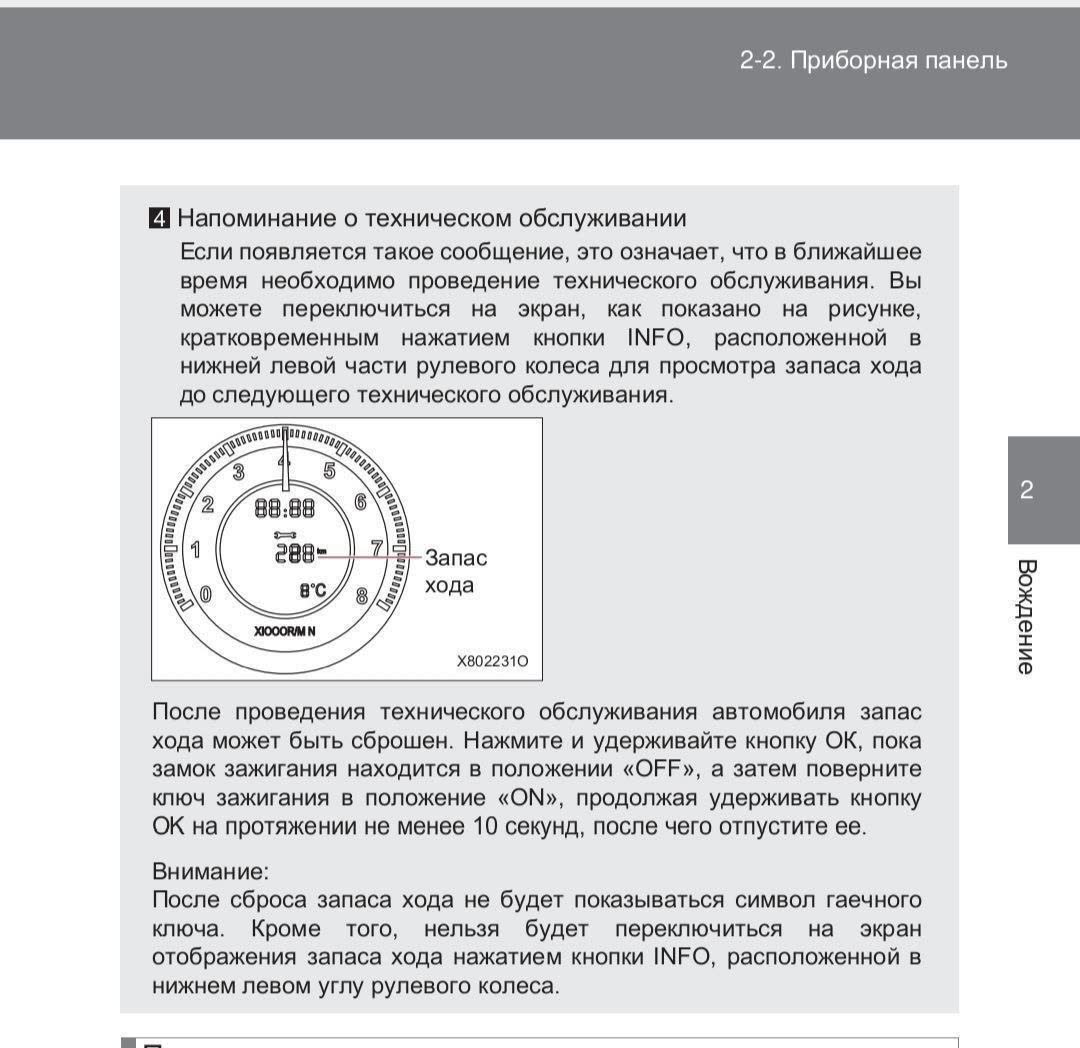
Owner's manual page 2-2 (Instrument panel) diagram showing INFO button location on lower-left of steering wheel and reset procedure
Related pages
- Normal dashboard warning-indicator behavior
- ECU diagnostic tools — Diagon/Launch vs OBD
- Diagnostic tools: USB endoscope and VD70Lite OBD2
- DIAGZONE PRO diagnostic software — beta v029 update
- ELM327 Bluetooth adapter — setup and X80 coverage
Sources
This page is compiled from 34 community messages. Every fact carries a numbered reference to its original author and message.
Last updated: 2026-07-25
-
Юрий (5245107658) · FAW X80 🚘🛠🛞 · 2024-10-07 · original message · ru ↩
-
HS Development (204359692) · FAW X80 🚘🛠🛞 · 2024-10-07 · original message · ru ↩
-
🇯🇺🇱🇮🇦 (1707891432) · FAW X80 🚘🛠🛞 · 2024-10-07 · original message · ru ↩
-
🇯🇺🇱🇮🇦 (1707891432) · FAW X80 🚘🛠🛞 · 2024-10-07 · original message · ru ↩
-
🇯🇺🇱🇮🇦 (1707891432) · FAW X80 🚘🛠🛞 · 2024-10-04 · original message · ru ↩
-
Unknown · FAW X80 🚘🛠🛞 · 2024-10-04 · original message · ru ↩
-
🇯🇺🇱🇮🇦 (1707891432) · FAW X80 🚘🛠🛞 · 2024-10-04 · original message · ru ↩
-
Unknown · FAW X80 🚘🛠🛞 · 2024-10-04 · original message · ru ↩
-
🇯🇺🇱🇮🇦 (1707891432) · FAW X80 🚘🛠🛞 · 2024-11-16 · original message · ru ↩
-
Unnamed (8183560828) · FAW X80 🚘🛠🛞 · 2024-11-16 · original message · ru ↩
-
Артем Андреевич (5740803001) · FAW X80 🚘🛠🛞 · 2024-12-09 · original message · ru ↩
-
Сергей Куликов (5154529344) · FAW X80 🚘🛠🛞 · 2024-12-09 · original message · ru ↩
-
Сергей Куликов (5154529344) · FAW X80 🚘🛠🛞 · 2024-12-09 · original message · ru ↩
-
Артем Андреевич (5740803001) · FAW X80 🚘🛠🛞 · 2024-12-09 · original message · ru ↩
-
Eronosyan Irina (1215640682) · FAW X80 🚘🛠🛞 · 2024-07-08 · original message · ru ↩
-
Unknown · FAW X80 🚘🛠🛞 · 2024-07-08 · original message · ru ↩
-
Unknown · FAW X80 🚘🛠🛞 · 2024-07-08 · original message · ru ↩
-
Александр Марощук (5193448455) · FAW X80 🚘🛠🛞 · 2026-02-01 · original message · ru ↩
-
Василий Егоров (964885990) · FAW X80 🚘🛠🛞 · 2026-02-01 · original message · ru ↩
-
А5 (6173193905) · FAW X80 🚘🛠🛞 · 2026-02-01 · original message · ru ↩
-
А5 (6173193905) · FAW X80 🚘🛠🛞 · 2026-02-01 · original message · ru ↩
-
Сергей Куликов (5154529344) · FAW X80 🚘🛠🛞 · 2026-02-01 · original message · ru ↩
-
Александр Марощук (5193448455) · FAW X80 🚘🛠🛞 · 2026-02-01 · original message · ru ↩
-
Сергей Куликов (5154529344) · FAW X80 🚘🛠🛞 · 2026-02-01 · original message · ru ↩
-
Сергей Куликов (5154529344) · FAW X80 🚘🛠🛞 · 2026-02-01 · original message · ru ↩
-
Сергей Куликов (5154529344) · FAW X80 🚘🛠🛞 · 2026-02-01 · original message · ru ↩
-
Prosto Zuev (926851926) · FAW X80 🚘🛠🛞 · 2026-05-27 · original message · ru ↩
-
Prosto Zuev (926851926) · FAW X80 🚘🛠🛞 · 2026-05-27 · original message · ru ↩
-
Алексей Криушичев (464382695) · FAW X80 🚘🛠🛞 · 2026-06-15 · original message · ru ↩
-
Prosto Zuev (926851926) · FAW X80 🚘🛠🛞 · 2026-06-15 · original message · ru ↩
-
Фаб (769398910) · FAW X80 🚘🛠🛞 · 2026-06-15 · original message · ru ↩
-
Victor 🇷🇺 (5003385587) · FAW X80 🚘🛠🛞 · 2026-06-15 · original message · ru ↩
-
Sershig (5199970951) · FAW BESTURN X80 · 2026-02-18 · original message · ru ↩
-
Максим (6949605704) · FAW BESTURN X80 · 2026-02-18 · original message · ru ↩