Infotainment video playback format
Tags: #infotainment
The factory infotainment head unit plays video files in MP4 format — confirmed by an owner who loaded downloaded cartoons for his daughter to watch on road trips 1.
By default, the head unit has a driving lockout on video playback: video stops/blacks out once the car is in motion, a common safety behavior on factory Chinese-market head units. This can be switched off from a settings menu so video keeps playing while driving — one owner shared a screenshot of the exact menu (an Enable/Disable toggle, with an "ON ▶" row below it) reached by navigating into the head unit's settings, though the specific menu path above that screen was not spelled out in the message 2. The original question asking about the screen's resolution and supported formats did not get a resolution figure answered, only the format and this workaround 3.
Media
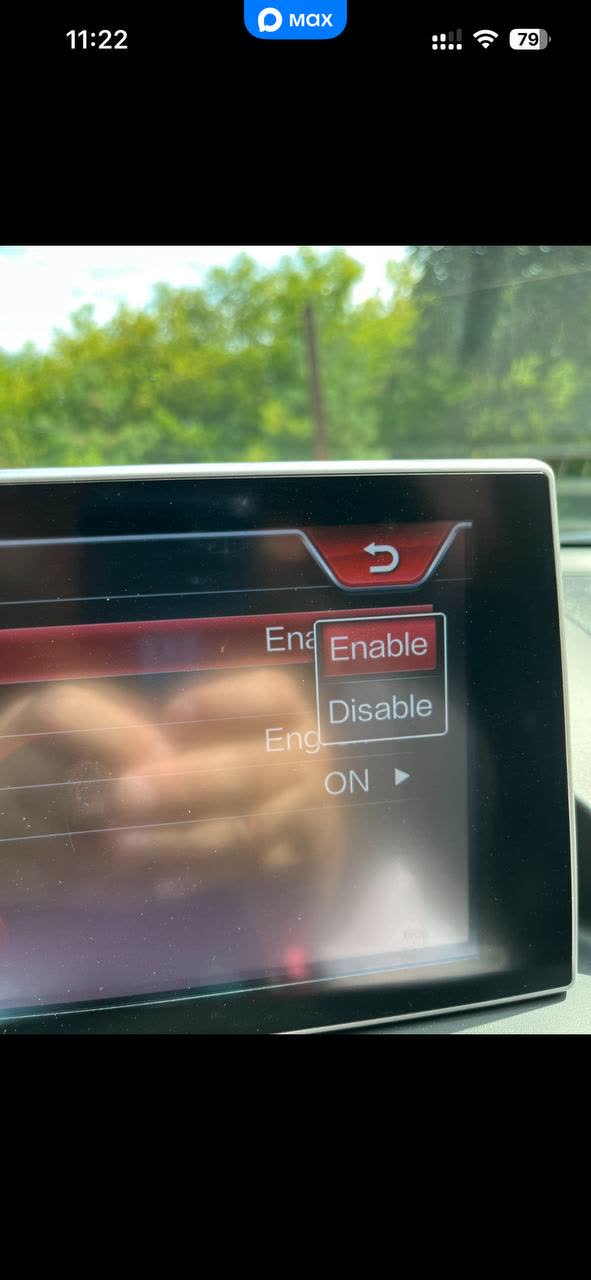
Photo of the infotainment touchscreen showing a settings submenu with an "Enable / Disable" toggle (Enable highlighted) and an "ON ▶" row beneath a partly hand-obscured setting label; this is the screen used to allow video playback to continue while the car is in motion.
Related pages
- Aftermarket head unit — install and CAN-bus
- Aftermarket tablet head unit installation
- Restyled generation — design flaws beyond leaks
Sources
This page is compiled from 3 community messages. Every fact carries a numbered reference to its original author and message.
Last updated: 2026-09-10
-
Che Guevara (5060300866) · FAW X80 🚘🛠🛞 · 2026-08-25 · original message · ru ↩
-
Che Guevara (5060300866) · FAW X80 🚘🛠🛞 · 2026-08-25 · original message · ru ↩
-
Victor 🇷🇺 (5003385587) · FAW X80 🚘🛠🛞 · 2026-08-24 · original message · ru ↩